
Translator’s guide
You only need the CSV your site owner sends. Each row gives you a piece of text and the context in which a reader will see it.
Open a working copy
Keep the original export. Open a copy as UTF-8 text with a comma as the separator and a double quote as the text delimiter. In LibreOffice Calc, keep formula evaluation off. Use context and source_url to find the page you are working on.
Fill in the translation
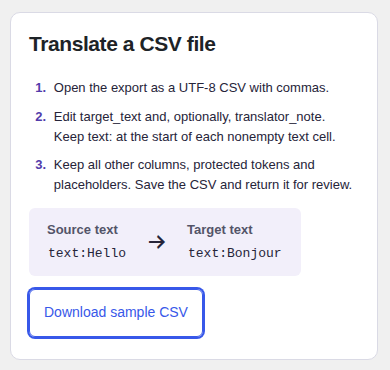
Read source_text and write in target_text. Use translator_note for a question or a choice the owner should review. Keep every other column exactly as supplied. Begin every nonempty translation and note with the literal prefix text:.
For example, a source cell containing text:Opening hours could become text:Horaires d’ouverture in the French target cell. An empty target leaves the translation as it was. To approve wording that stays the same in both languages, copy the full source cell into the target.
Keep formatting with the words
Keep protected markers such as [[t1]] and [[/t1]] around the words they format. The pair can move with the phrase. Preserve single markers such as [[t2/]], names in braces and formatting placeholders such as %s exactly. Keep unnumbered placeholders in their original order. Your site owner can help resolve a row whose meaning is unclear.
Return the CSV
Save the edited file as a UTF-8 comma-separated CSV with the original header. Send it back to the owner, who checks and previews it in WordPress before publishing.